 OsteoMasterWeb planning tool
PRE-OPERATIVE PLANNING, VISUALIZED
Plan the correction. See the simulation before surgery.
Measure full-leg X-rays, select the planning target, and review an osteotomy simulation in one focused browser workspace.
All users create an account before using the web app. X-ray images and saved plan files stay on your device.
START WITH THE X-RAY
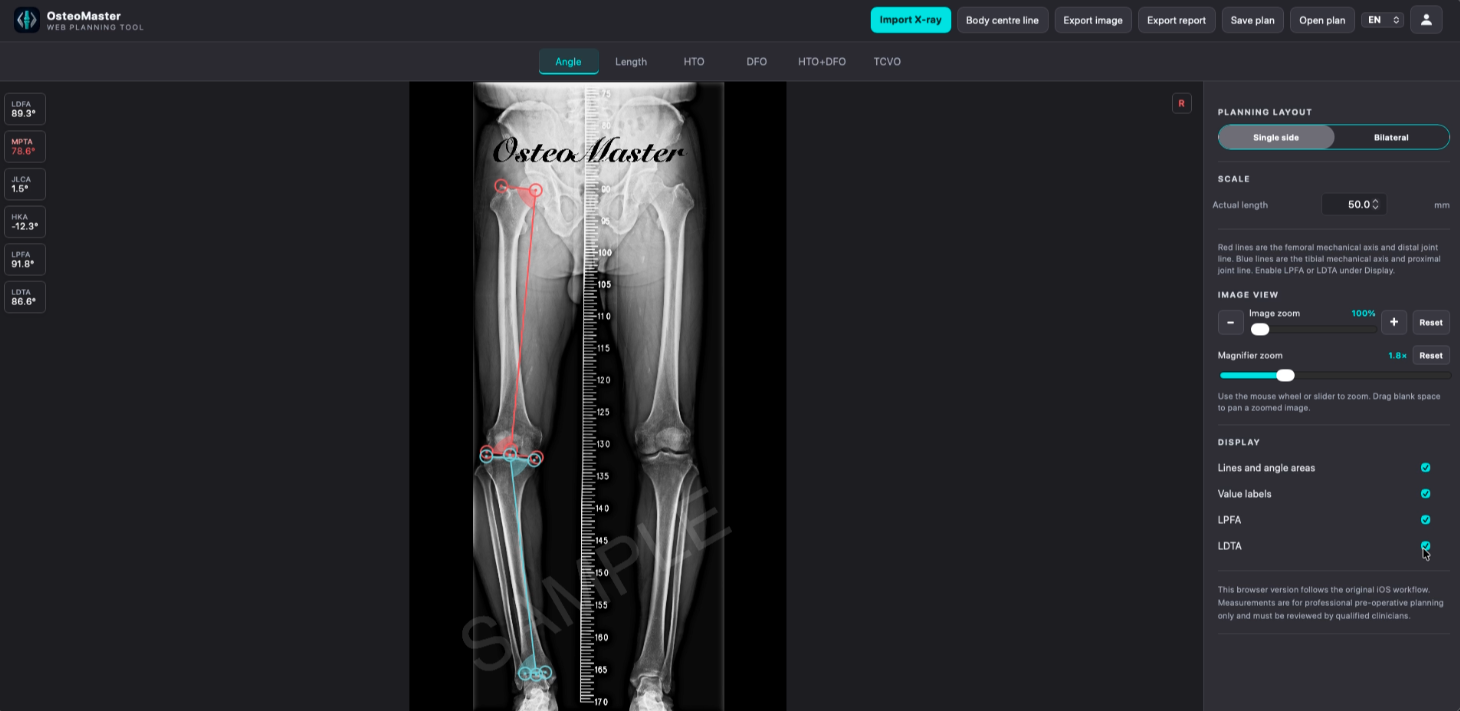
Measure precisely, and notice what needs attention.
Angle and length tools work directly on the imported full-leg X-ray. Out-of-range values are surfaced as visual warnings.
PLAN, ADJUST, SIMULATE
One workspace for each correction strategy.
Choose a procedure and target, refine the settings, then replay the result. HTO and DFO support open wedge, close wedge, and dome methods where applicable.
HTO
High Tibial Osteotomy
Configure the osteotomy, choose a target WBL, correction angle, opening height, post-op MPTA, or HKA, then review the simulation.
Open wedge, close wedge, and dome options are available where applicable.
Use the target that matches your planning workflow
- WBL
- Anatomical angle
- Correction angle
- Opening height
- HKA
TAKE THE PLAN WITH YOU
Export clearly. Save locally.
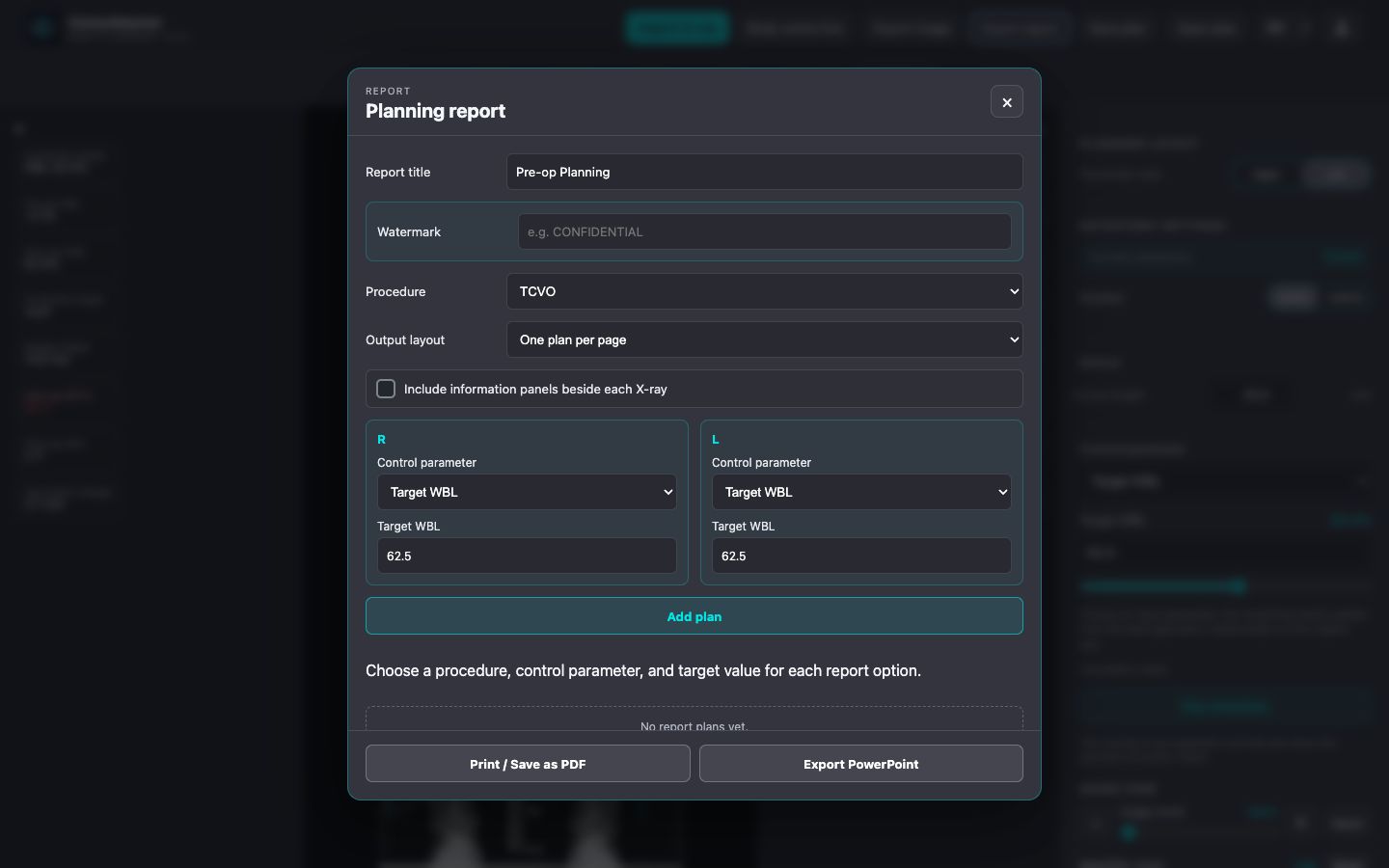
Create image exports and planning reports, then print or save PDF and export PowerPoint. Save and open plan files locally whenever you need them.
- Image export for the current workspace
- Planning reports with PDF and PowerPoint output
- Save and open plan files locally; X-ray images and plan files are not uploaded
WATCH THE WORKFLOW
Short, focused video walkthroughs.
Each video opens on YouTube, keeping the Web App fast and lightweight.
Visit our YouTube channelSimulation and slider walkthroughs will appear here when the YouTube channel is ready.
OsteoMaster is free to use. If it is useful to you, optional support helps keep it available.
Support OsteoMasterOsteoMaster supports professional pre-operative planning. It does not replace clinical judgment, independent review, or applicable medical-device requirements.